


YOUR CATALOG.
THEIR PROJECT.
MAKE IT REAL.
Stop asking customers to imagine how a panel, trim profile, or finish will look. Put your products on a 3D building they can actually explore.
They need to see the whole building.
A small sample can show a color. It cannot show how that color works across walls, roofing, wainscot, and trim. That gap slows decisions and leaves too much to imagination.
From product data to a building you can explore.
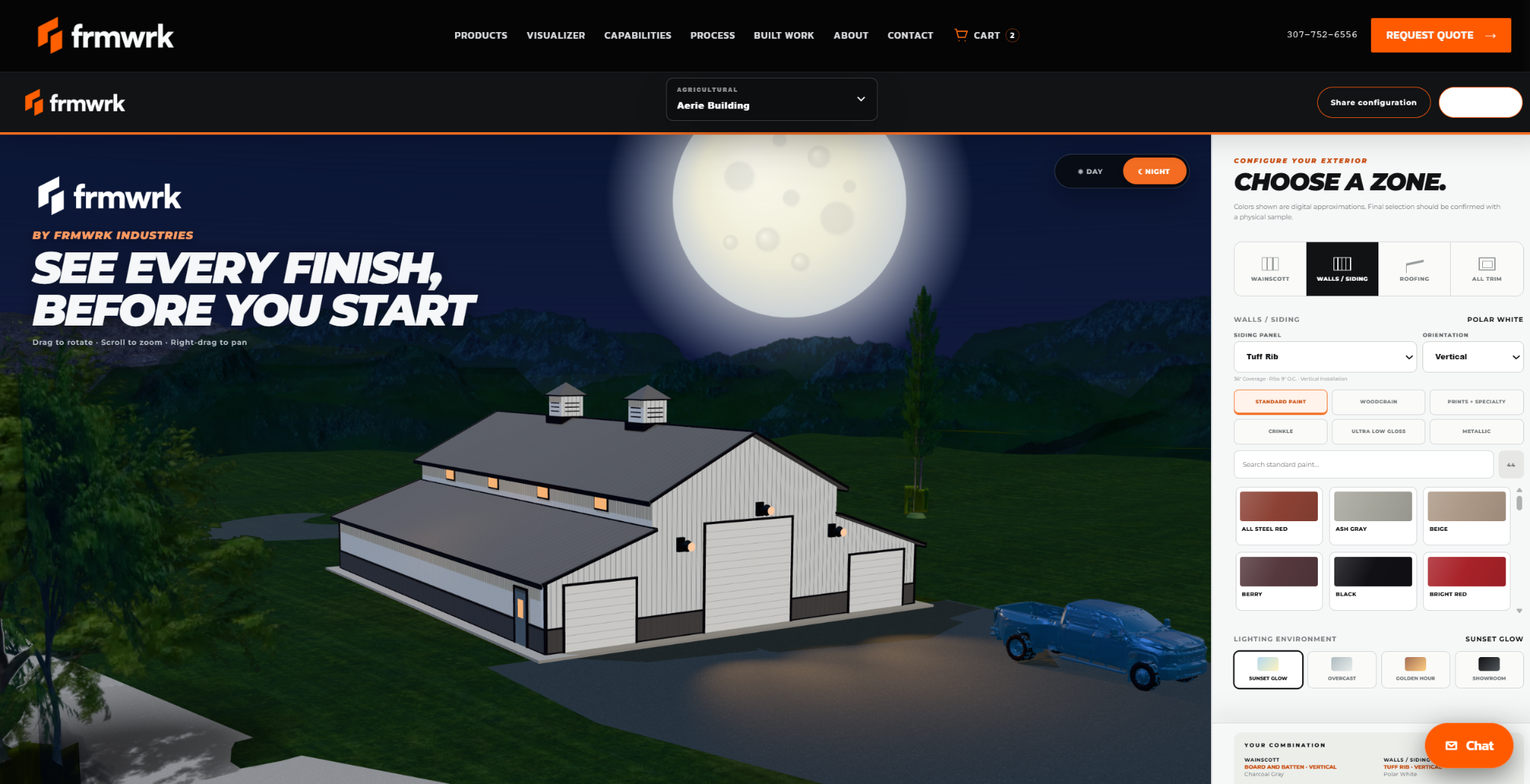
FRMWRK configures MDLR around your catalog of panels, trim, colors, and finishes. Customers can compare combinations on a 3D structure, rotate the view, zoom in, and see how selections work together across the exterior.
In the live experience, explore siding, roofing, wainscot, trim, panel orientation, finishes, and different lighting environments. The conversation shifts from “Which swatch do you like?” to “Is this the building you want?”
Not just a model. Their project.
A generic building starts the conversation. A specific project can move it forward. Work with FRMWRK to configure a project model and apply your product options to the structure your customer is planning. The same visual language carries from product discovery to a more confident decision.

Put clarity in the sales process.
Show the finished exterior.
Walk a customer through material choices before a proposal becomes an order.
Give your catalog a job to do.
Present profiles, colors, and finishes in context instead of leaving them in a static list.
Get to the decision.
Explore options together, align on the look, and keep the next conversation moving.
Three moves. A clearer picture.
Share the panels, trim profiles, color ranges, and finishes you want customers to explore.
FRMWRK configures the visualizer around your products and the structures or project models in scope.
Use it on your existing website or in your sales workflow to make material conversations visual.
Let them see the answer.
Your products deserve more than a color card. Give customers a building they can explore and a decision they can feel good about.